Table of Contents
GalleryPal: Unlocking the Story Behind Every Canvas
GalleryPal: Unlocking the Story Behind Every Canvas

This project followed a modified GV (Google Ventures) Design Sprint over the course of 5-days, adapted for a solo designer to move rapidly from problem discovery to a validated prototype. By condensing the traditional sprint cycle, I was able to focus on the most critical user friction points identified in the research highlights. The goal was to validate a solution that bridges the gap between a visitor’s curiosity and the expert knowledge typically held by museum guides.
This project followed a modified GV (Google Ventures) Design Sprint over the course of 5-days, adapted for a solo designer to move rapidly from problem discovery to a validated prototype. By condensing the traditional sprint cycle, I was able to focus on the most critical user friction points identified in the research highlights. The goal was to validate a solution that bridges the gap between a visitor’s curiosity and the expert knowledge typically held by museum guides.
Role
UI/ UX Designer
Timeline
March 2026 -
5-day Sprint
Tools
Figma
Illustrator
Photoshop
Role
Role
UI/ UX Designer
UI/ UX Designer
Timeline
Timeline
March 2026 -
5-day Sprint
March 2026 -
5-day Sprint
Tools
Tools
Figma
Illustrator
Photoshop
Figma
Illustrator
Photoshop
The Design Sprint
The Design Sprint
Design sprints are typically conducted for 8 hours each day, for five days. However, because this is a modified design sprint, the work outlined in each "day" only took a few hours to complete.
Design sprints are typically conducted for 8 hours each day, for five days. However, because this is a modified design sprint, the work outlined in each "day" only took a few hours to complete.

Monday
Monday
Mapping out and understanding the problem, then setting a target.
Mapping out and understanding the problem, then setting a target.
Mapping out and understanding the problem, then setting a target.
Tuesday
Tuesday
Focusing on solutions. I began by looking at inspiring features and designs and then sketched out my ideas. I also started contacting possible test participants for Friday.
Focusing on solutions. I began by looking at inspiring features and designs and then sketched out my ideas. I also started contacting possible test participants for Friday.
Focusing on solutions. I began by looking at inspiring features and designs and then sketched out my ideas. I also started contacting possible test participants for Friday.
Wednesday
Wednesday
Reviewed Tuesday’s sketches and decided on which idea had the best chance at solving the problem. By the end of the day, I had a storyboard that would inform the prototype on Thursday.
Reviewed Tuesday’s sketches and decided on which idea had the best chance at solving the problem. By the end of the day, I had a storyboard that would inform the prototype on Thursday.
Reviewed Tuesday’s sketches and decided on which idea had the best chance at solving the problem. By the end of the day, I had a storyboard that would inform the prototype on Thursday.
Thursday
Thursday
Prototyping the solution. I created realistic facade to put in front of test participants to gauge their reactions about your idea.
Prototyping the solution. I created realistic facade to put in front of test participants to gauge their reactions about your idea.
Prototyping the solution. I created realistic facade to put in front of test participants to gauge their reactions about your idea.
Friday
Friday
It is all about testing!
It is all about testing!
It is all about testing!
DAY 1 - Discover & Map
User Friction
User Friction
Modern museum-goers often feel a disconnect between looking at art and truly understanding it. Many visitors experience a "context gap" where they feel unable to appreciate the work to its full potential.
Modern museum-goers often feel a disconnect between looking at art and truly understanding it. Many visitors experience a "context gap" where they feel unable to appreciate the work to its full potential.
Voices of the Research
Voices of the Research
"I don't really enjoy group tours because I like to do my own thing… but sometimes I listen in to learn a few facts." - Ryan
"I don't really enjoy group tours because I like to do my own thing… but sometimes I listen in to learn a few facts." - Ryan

"I often wonder — what would the artist tell me about this piece if they had a minute to talk to me? How cool would that be?!" - Liza
"I often wonder — what would the artist tell me about this piece if they had a minute to talk to me? How cool would that be?!" - Liza

"I enjoy looking at art, but sometimes I feel like I'm missing out on the full experience by not knowing any background information or context." - Anna
"I enjoy looking at art, but sometimes I feel like I'm missing out on the full experience by not knowing any background information or context." - Anna

"Sometimes I'll do a quick Google search while at the museum… but I usually just find long articles that are super overwhelming." - Nick
"Sometimes I'll do a quick Google search while at the museum… but I usually just find long articles that are super overwhelming." - Nick

"I like to form my own opinion about art, but it can be hard when I don't really know anything about the artist or their intentions." - Jane
"I like to form my own opinion about art, but it can be hard when I don't really know anything about the artist or their intentions." - Jane

"There are so many times I find myself saying 'how did the artist do that?!' — I would love to know more about their process and technique." - Dana
"There are so many times I find myself saying 'how did the artist do that?!' — I would love to know more about their process and technique." - Dana

Based on the challenge brief and research highlights, the core issues include:
Based on the challenge brief and research highlights, the core issues include:
Users find existing online research overwhelming and "too long."
Users find existing online research overwhelming and "too long."

Information Overload
Information Overload
Visitors feel they are "missing out" because they lack background on the artist's intentions, techniques, or the time period.
Visitors feel they are "missing out" because they lack background on the artist's intentions, techniques, or the time period.

The Context Gap
The Context Gap
Users often dislike group tours but still want the "fun facts" and stories that a guide provides.
Users often dislike group tours but still want the "fun facts" and stories that a guide provides.

Desire for Independence
Desire for Independence
Research is often done on the fly when a piece unexpectedly catches a visitor's eye.
Research is often done on the fly when a piece unexpectedly catches a visitor's eye.

Spontaneity
Spontaneity

Behavior
Behavior
She browses popular museums solo every couple of months, preferring to explore organically rather than following a group with a tour guide.
She browses popular museums solo every couple of months, preferring to explore organically rather than following a group with a tour guide.
Frustrations
Frustrations
She leaves feeling like she didn't appreciate the art to its full potential but loses interest in in-depth books.
She leaves feeling like she didn't appreciate the art to its full potential but loses interest in in-depth books.
Goals
Goals
Feeling a sense of appreciation through quick, accessible information.
Feeling a sense of appreciation through quick, accessible information.
The Persona: Angela
The Persona: Angela
To guide the sprint, I focused on Angela, a 22-year-old Junior Art Director in New York.
To guide the sprint, I focused on Angela, a 22-year-old Junior Art Director in New York.


Behavior
She browses popular museums solo every couple of months, preferring to explore organically rather than following a group with a tour guide.
Frustrations
She leaves feeling like she didn't appreciate the art to its full potential but loses interest in in-depth books.
Goals
Feeling a sense of appreciation through quick, accessible information.
Mapping The User Experience
Mapping
The User Experience
This sketch represents the initial broad brainstorming phase of the sprint. I started by translating common user frustrations into design opportunities. From there, I needed to evaluate the technical feasibility and usability of how a user might spontaneously access information.
This sketch represents the initial broad brainstorming phase of the sprint. I started by translating common user frustrations into design opportunities. From there, I needed to evaluate the technical feasibility and usability of how a user might spontaneously access information.

The core of this sketch is the method exploration (bottom):
I considered five unique entry points: Art code #, QR Code, Photo ID, NFC Tag, and Bluetooth Beacon.
I listed critical pros and cons for each. This analytical step was crucial for narrowing the technology focus.
The core of this sketch is the method exploration (bottom):
I considered five unique entry points: Art code #, QR Code, Photo ID, NFC Tag, and Bluetooth Beacon.
I listed critical pros and cons for each. This analytical step was crucial for narrowing the technology focus.
Then, I mapped out two potential end-to-end journeys to identify the most critical moments for intervention.
Then, I mapped out two potential end-to-end journeys to identify the most critical moments for intervention.
The Spontaneous Discovery
The Spontaneous Discovery

This map focuses on the user finding a specific piece and wanting immediate info.
This map focuses on the user finding a specific piece and wanting immediate info.
Visitor enters the gallery.
Finds a painting and wants to know more.
Scans the art or types a code into the app.
Listens to audio or reads a short script.
RESULT: Better understanding and full appreciation.
Visitor enters the gallery.
Finds a painting and wants to know more.
Scans the art or types a code into the app.
Listens to audio or reads a short script.
RESULT: Better understanding and full appreciation.
The Curated Path
The Curated Path

This map follows a user looking for a structured but independent experience.
This map follows a user looking for a structured but independent experience.
Visitor wants to follow an audio tour.
Chooses a specific tour type in the app.
Gets directions to the starting point.
Listens to guided audio or reads transcripts.
RESULT: Sees the museum in an organized way with full context.
Visitor wants to follow an audio tour.
Chooses a specific tour type in the app.
Gets directions to the starting point.
Listens to guided audio or reads transcripts.
RESULT: Sees the museum in an organized way with full context.
To address the core challenge of the week sprint, I narrowed the scope to The Spontaneous Discovery. This allowed for a deeper dive into the 'micro-moments' of curiosity where a visitor transitions from casual viewing to active learning ensuring the intervention feels seamless rather than prescriptive.
Sprint Focus
Sprint Focus
To address the core challenge of the week sprint, I narrowed the scope to The Spontaneous Discovery. This allowed for a deeper dive into the 'micro-moments' of curiosity where a visitor transitions from casual viewing to active learning ensuring the intervention feels seamless rather than prescriptive.
To address the core challenge of the week sprint, I narrowed the scope to The Spontaneous Discovery. This allowed for a deeper dive into the 'micro-moments' of curiosity where a visitor transitions from casual viewing to active learning ensuring the intervention feels seamless rather than prescriptive.
With the focus defined, I created this high-level application flow to illustrate how 'Spontaneous Discovery' fits into the entire experience.
With the focus defined, I created this high-level application flow to illustrate how 'Spontaneous Discovery' fits into the entire experience.
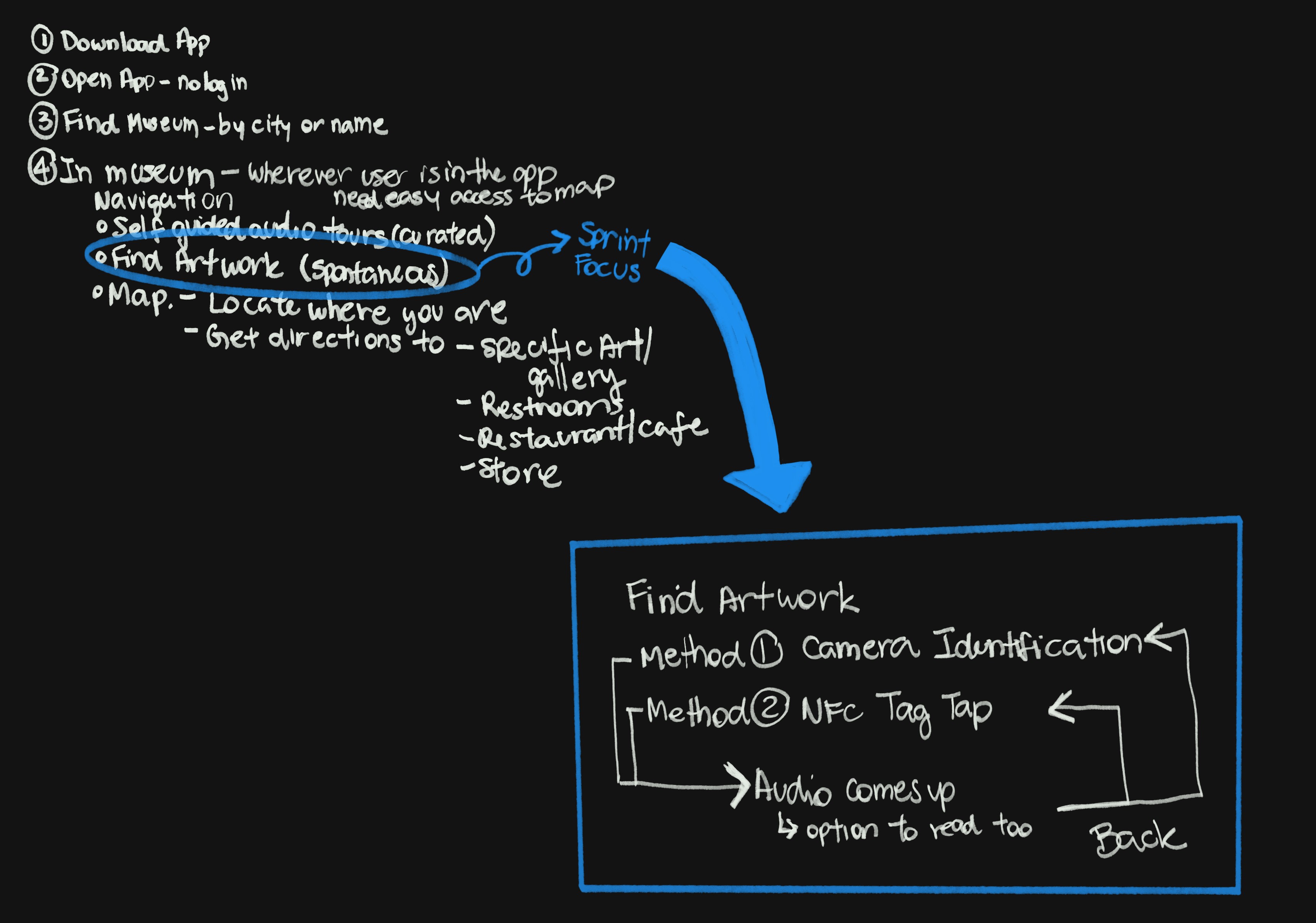
I then created a micro-flow (the blue box) detailing the exact interaction I selected for the sprint:
It explicitly details the two interaction methods we prioritized for testing: Method 1: Camera Identification and Method 2: NFC Tag Tap.
This map ensures that the technical interactions lead seamlessly to the user value: 'Audio comes up (option to read too),' showing the required back-loop for easy and fast spontaneous exploration.
I then created a micro-flow (the blue box) detailing the exact interaction I selected for the sprint:
It explicitly details the two interaction methods we prioritized for testing: Method 1: Camera Identification and Method 2: NFC Tag Tap.
This map ensures that the technical interactions lead seamlessly to the user value: 'Audio comes up (option to read too),' showing the required back-loop for easy and fast spontaneous exploration.
DAY 2
Lightning Demos: Learning from Best-in-Class Patterns
Lightning Demos: Learning from Best-in-Class Patterns
To find the most intuitive interactions for GalleryPal, I looked at how leading apps solve similar challenges:
To find the most intuitive interactions for GalleryPal, I looked at how leading apps solve similar challenges:
Audio & Reading Continuity
Audio & Reading Continuity
To understand how users transition between listening and reading without losing their place or context.
To understand how users transition between listening and reading without losing their place or context.
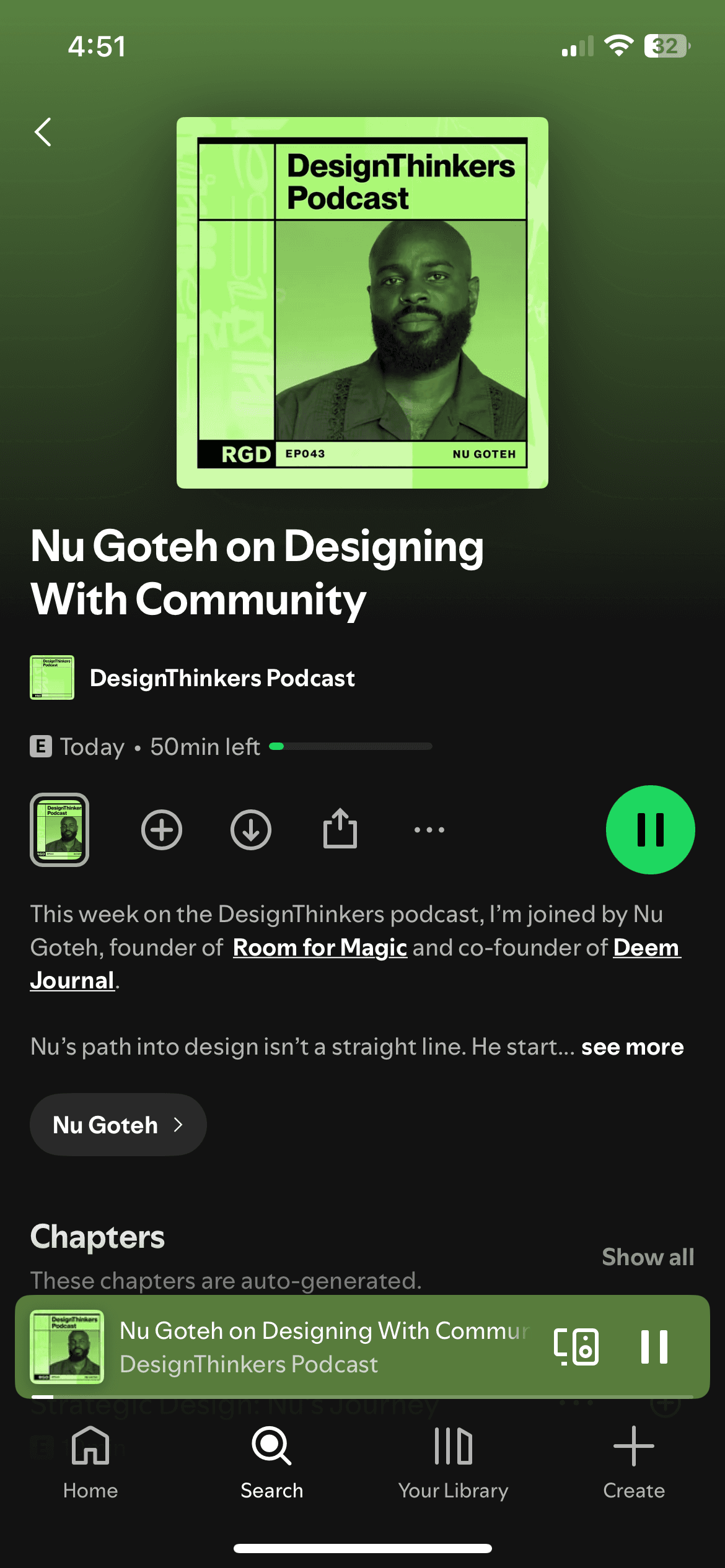
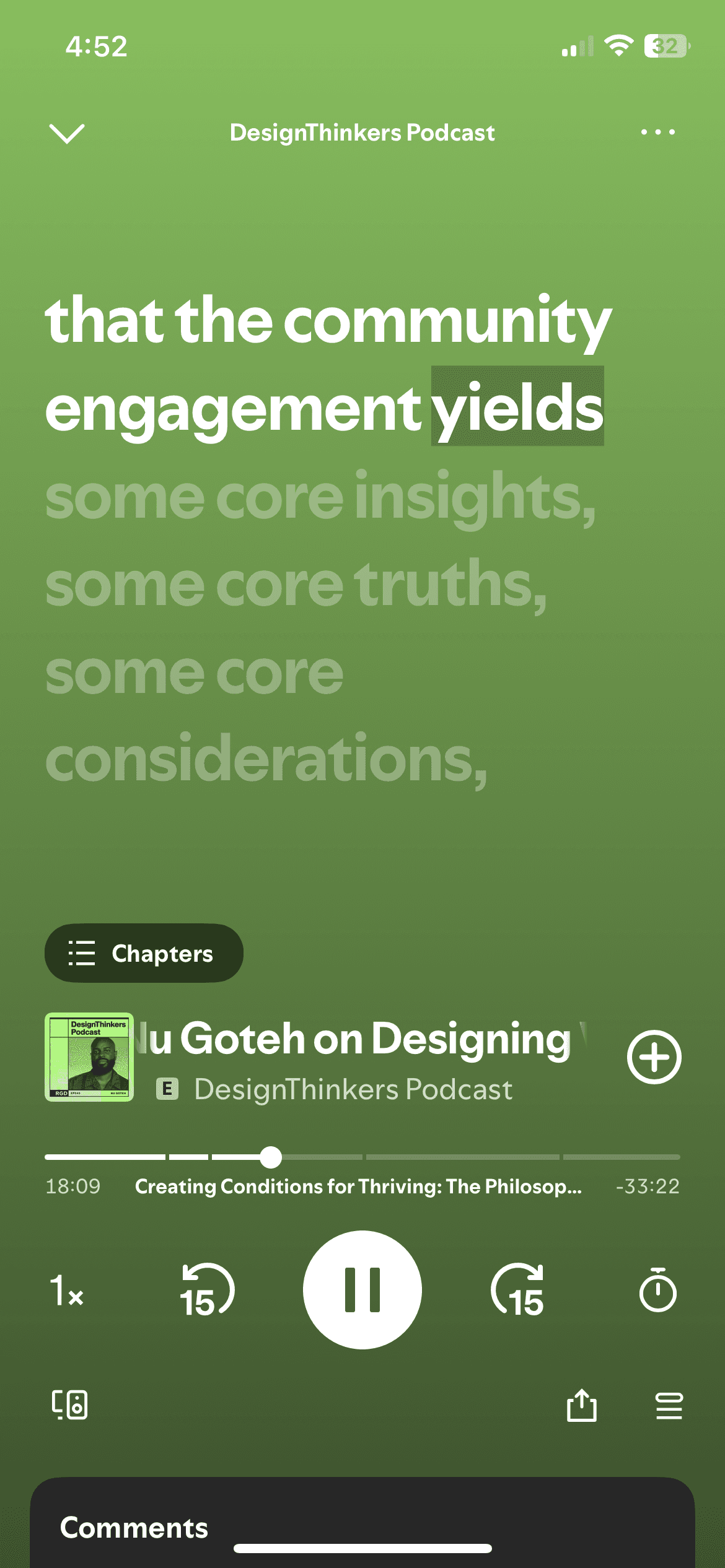
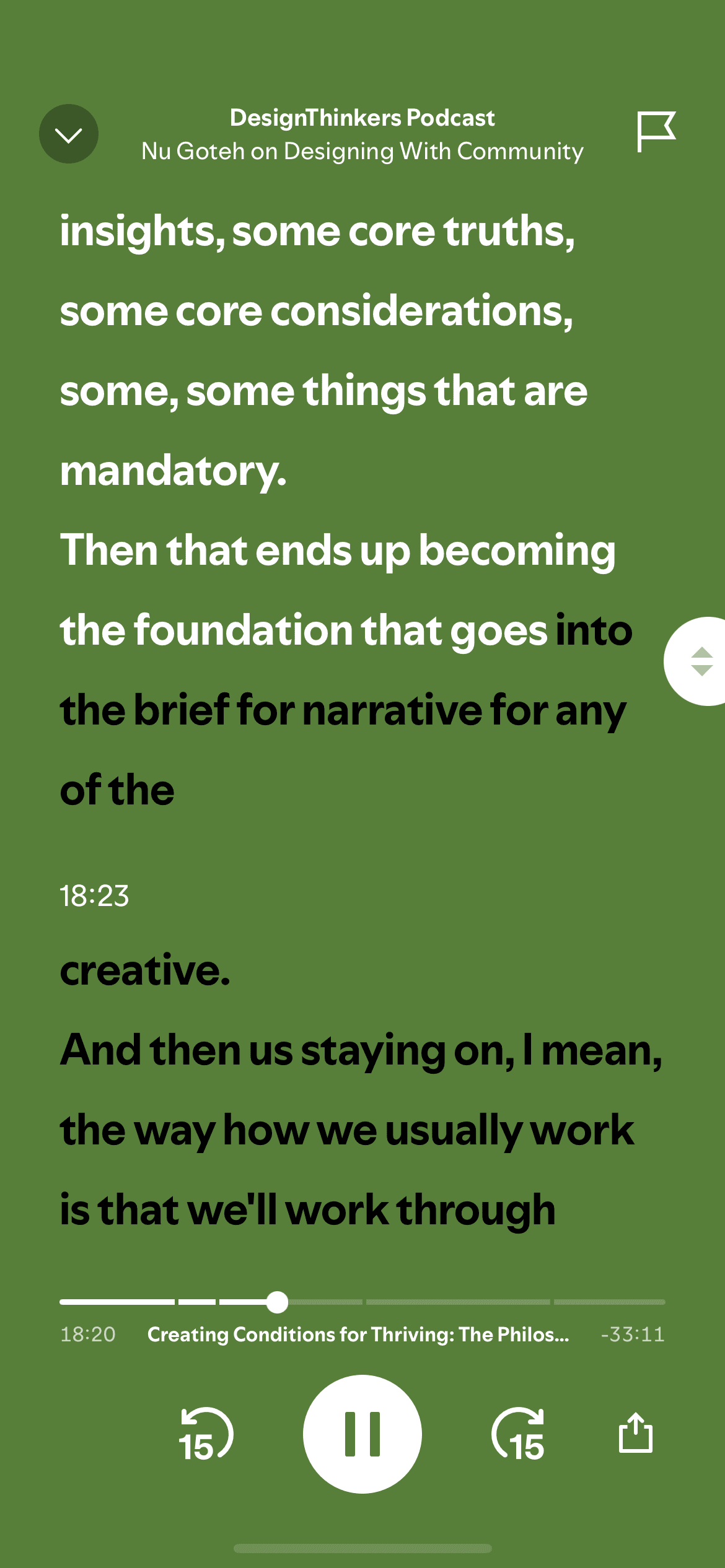
Spotify (Lyrics Feature):
I’m looking at the real-time transcript sync with pocasts. In a gallery, this pattern is perfect for a synchronized transcript. As the audio plays, the corresponding text is highlighted, allowing the user to glance down, find their place, and look back at the art immediately.
Spotify (Lyrics Feature):
I’m looking at the real-time transcript sync with pocasts. In a gallery, this pattern is perfect for a synchronized transcript. As the audio plays, the corresponding text is highlighted, allowing the user to glance down, find their place, and look back at the art immediately.
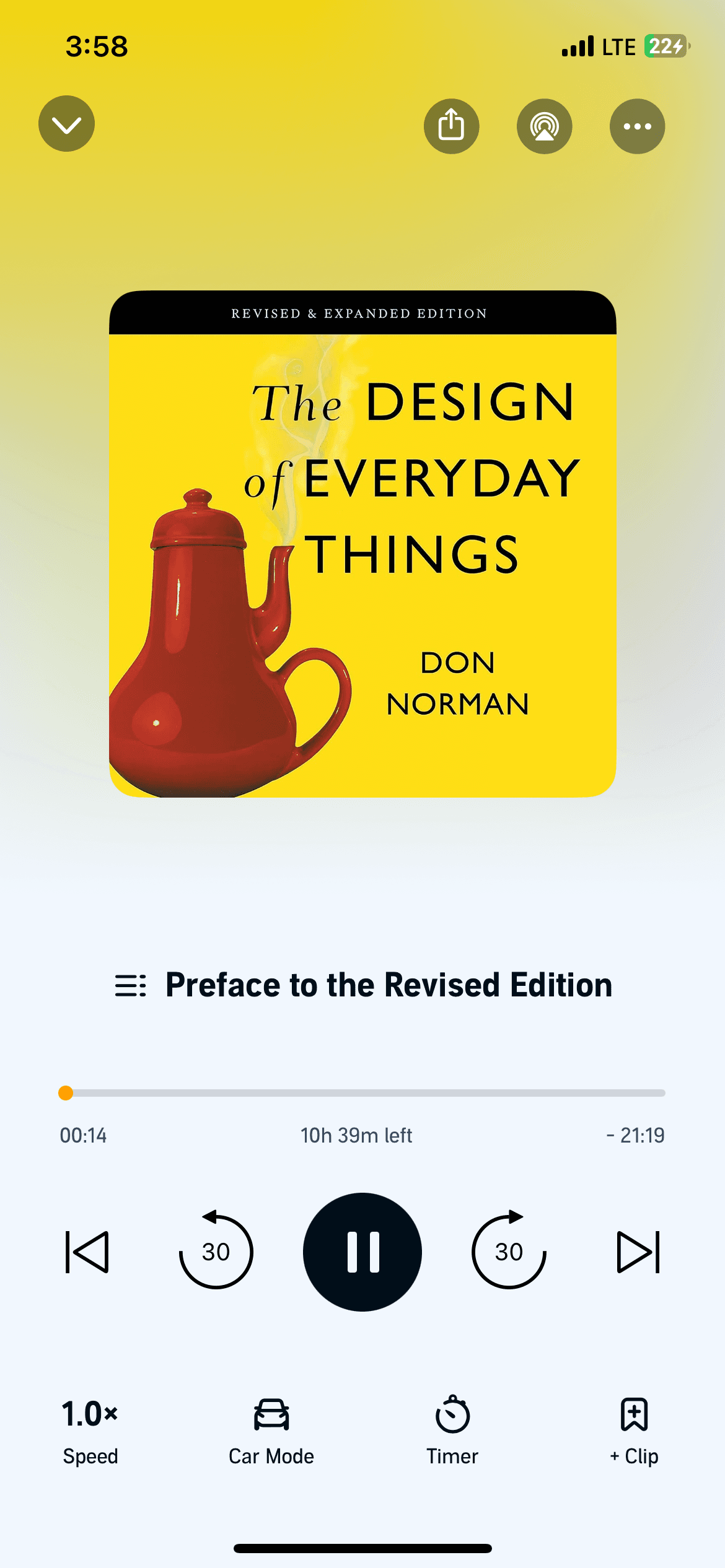
Audible (Player UI):
Audible's player is built for long-term engagement. I’m analyzing their playback controls (speed, scrubbing, and bookmarking). This helps define how a user "re-listens" to a specific detail about a painting's history without having to restart the whole track.
Audible (Player UI):
Audible's player is built for long-term engagement. I’m analyzing their playback controls (speed, scrubbing, and bookmarking). This helps define how a user "re-listens" to a specific detail about a painting's history without having to restart the whole track.
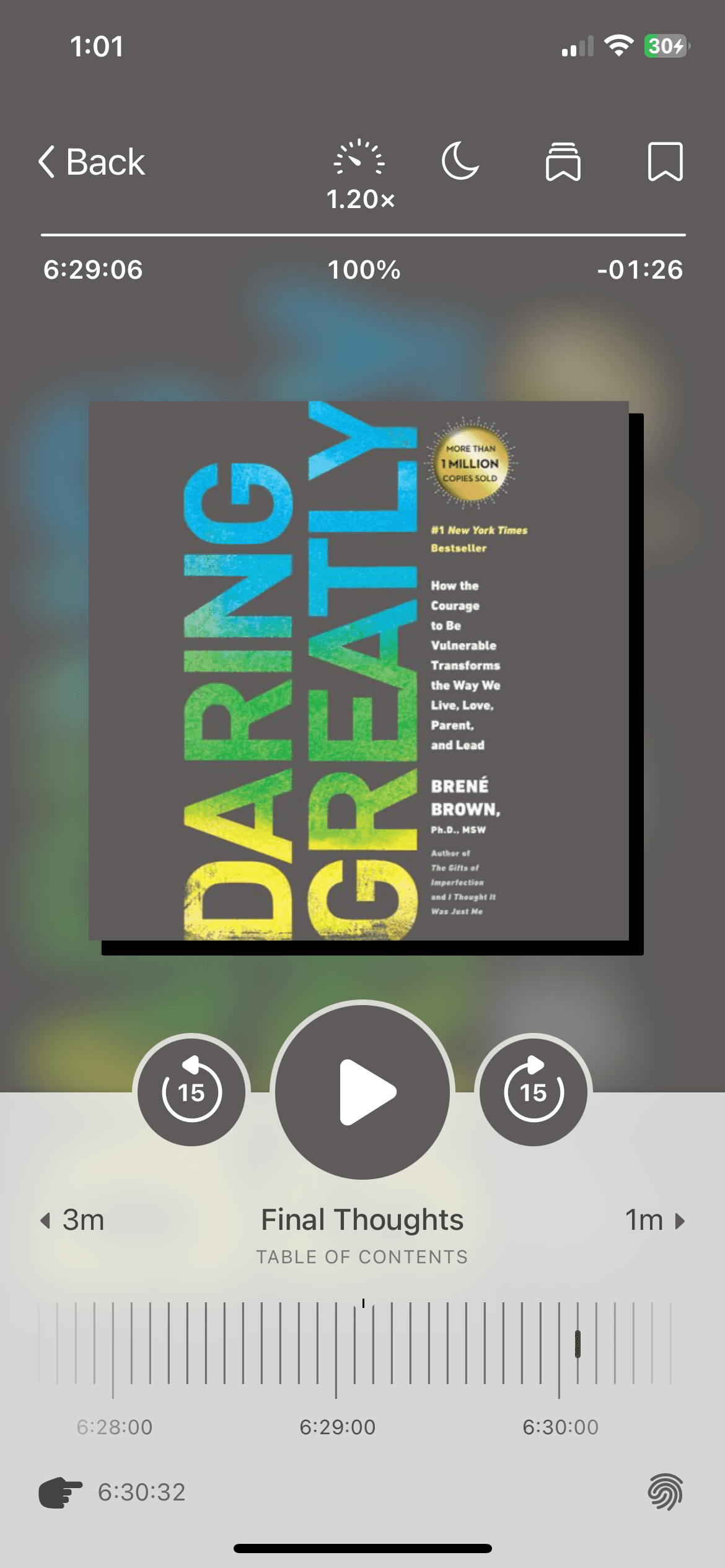
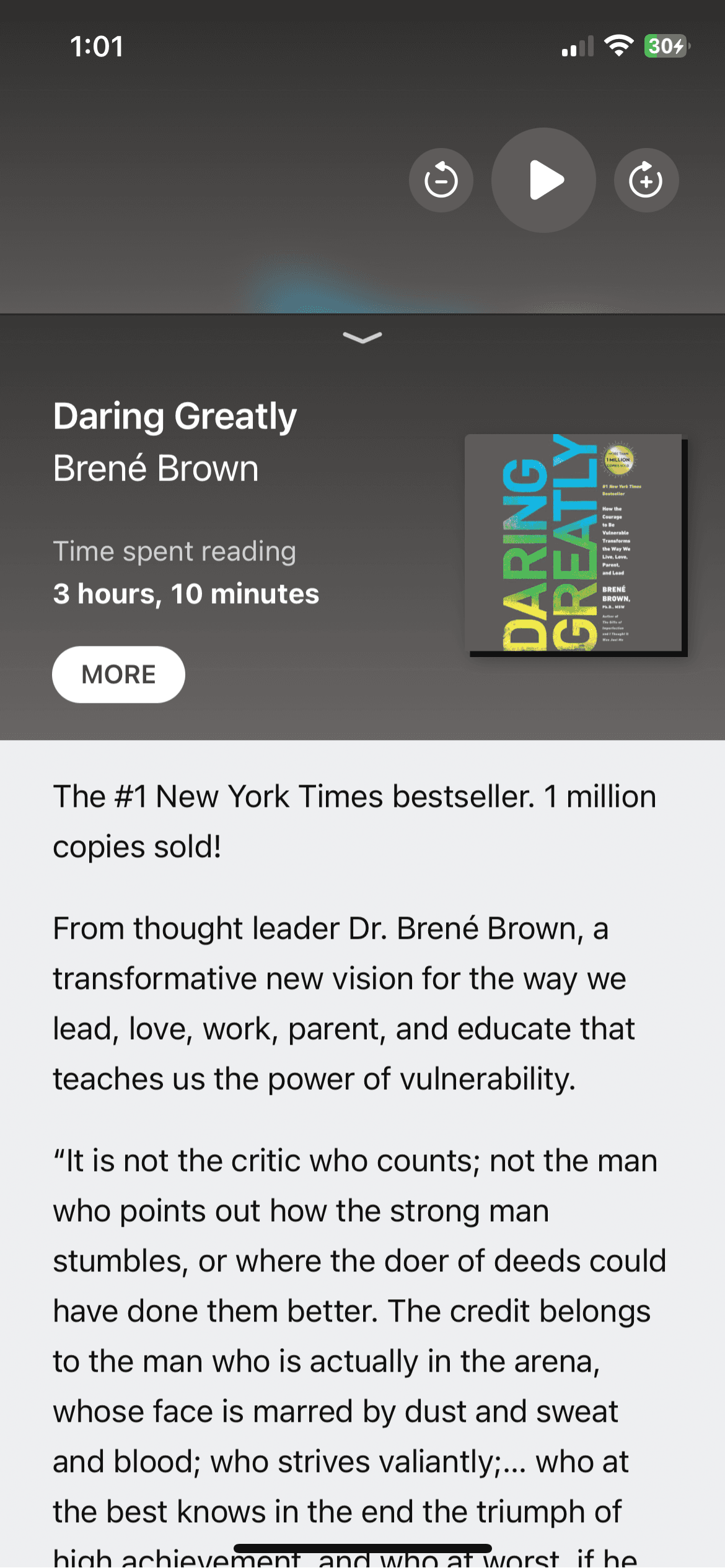
Libby (Book Info & UI):
I’m focusing on information hierarchy. Libby balances the "Player" (the active experience) with the "Book Info" (the metadata/context). This is a direct parallel to showing the "Audio Guide" while still giving the user easy access to the artist’s bio and medium details.
Libby (Book Info & UI):
I’m focusing on information hierarchy. Libby balances the "Player" (the active experience) with the "Book Info" (the metadata/context). This is a direct parallel to showing the "Audio Guide" while still giving the user easy access to the artist’s bio and medium details.
High-Engagement Layouts
High-Engagement Layouts
When a user identifies a piece of art, how does the information appear?
When a user identifies a piece of art, how does the information appear?
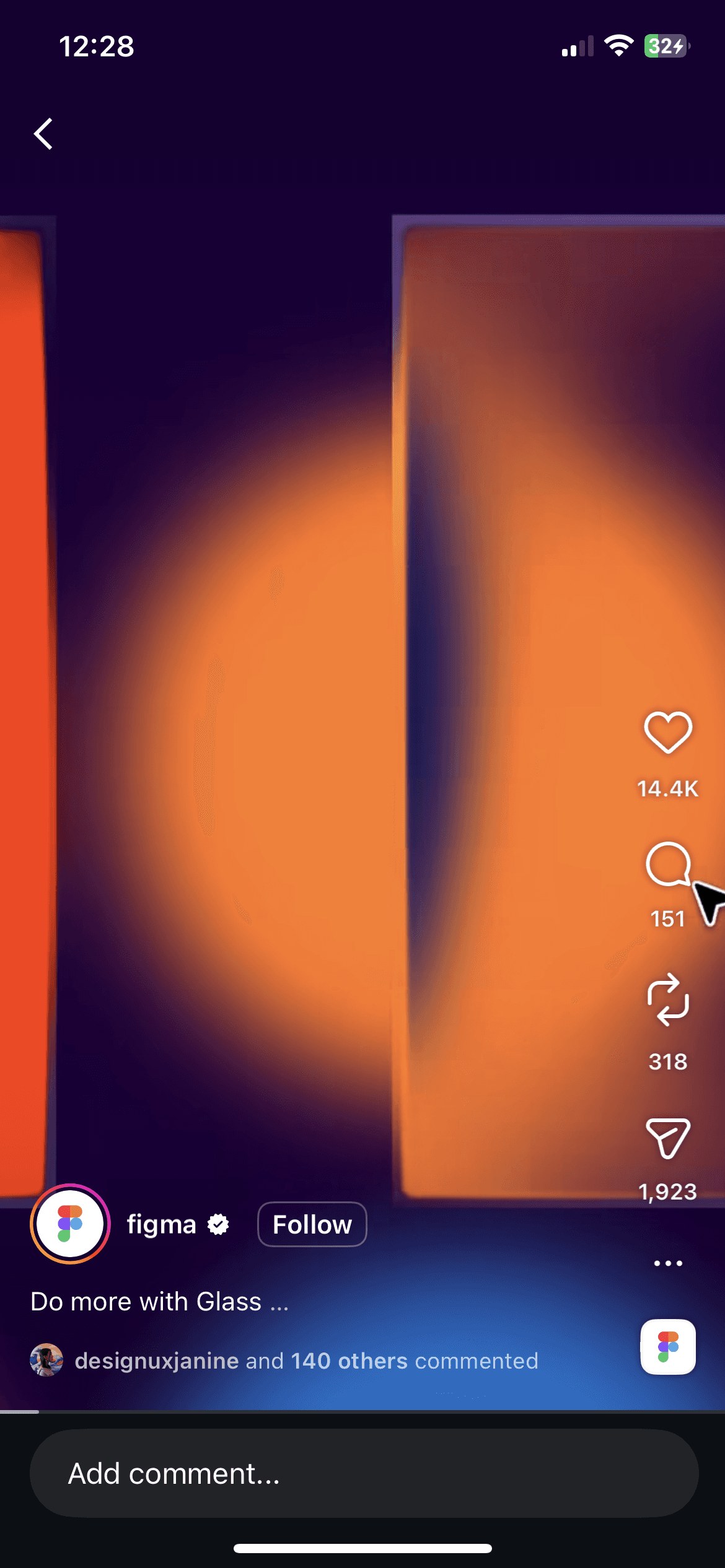
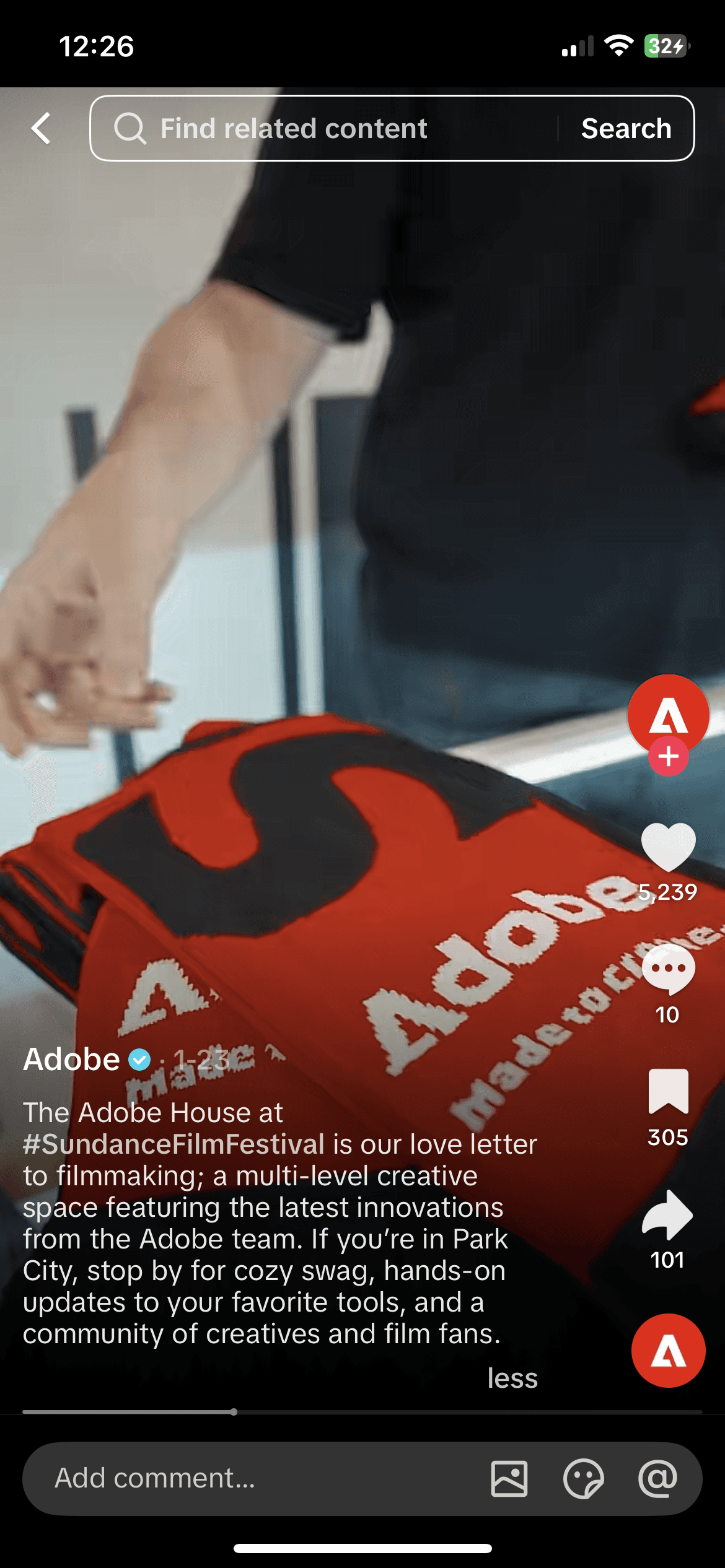
Instagram Reels & TikTok:
Instagram Reels & TikTok: Explored these layouts to understand how to deliver "bite-sized" immersive content immediately after a user triggers an interaction.
Instagram Reels & TikTok:
Instagram Reels & TikTok: Explored these layouts to understand how to deliver "bite-sized" immersive content immediately after a user triggers an interaction.
Instagram Reels
Tik Tok
Spatial Navigation (Map vs. List)
Spatial Navigation (Map vs. List)
To evaluate how users toggle between browsing a broad area and selecting a specific destination.
To evaluate how users toggle between browsing a broad area and selecting a specific destination.
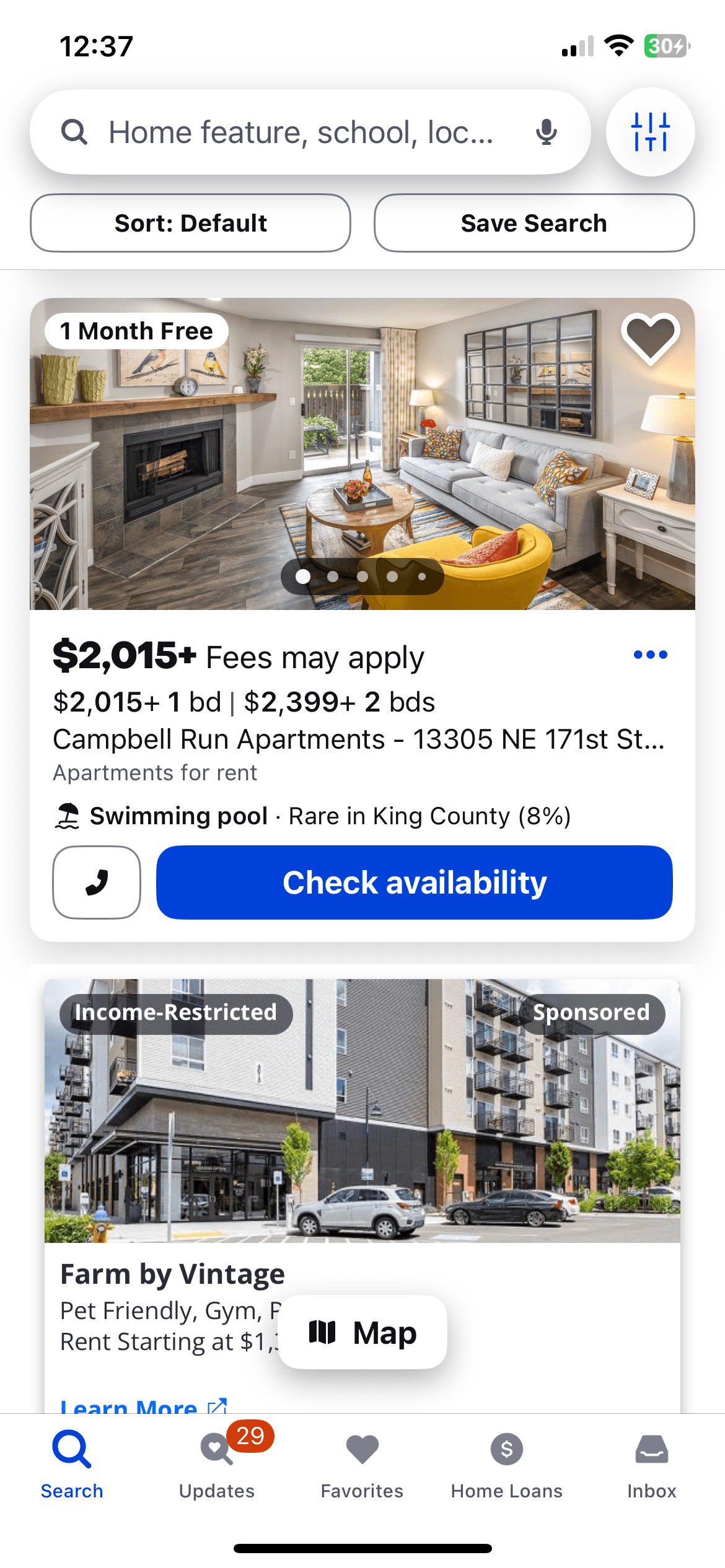
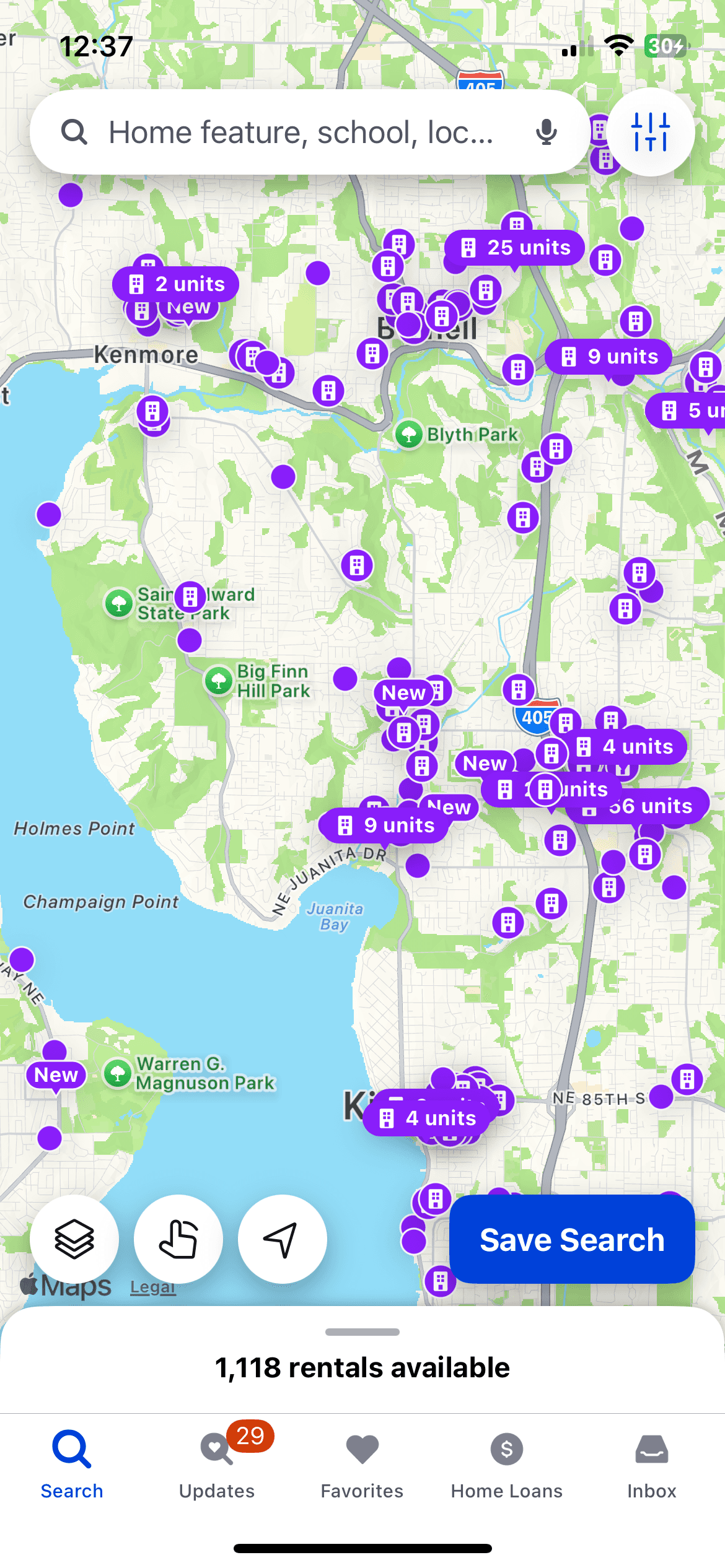
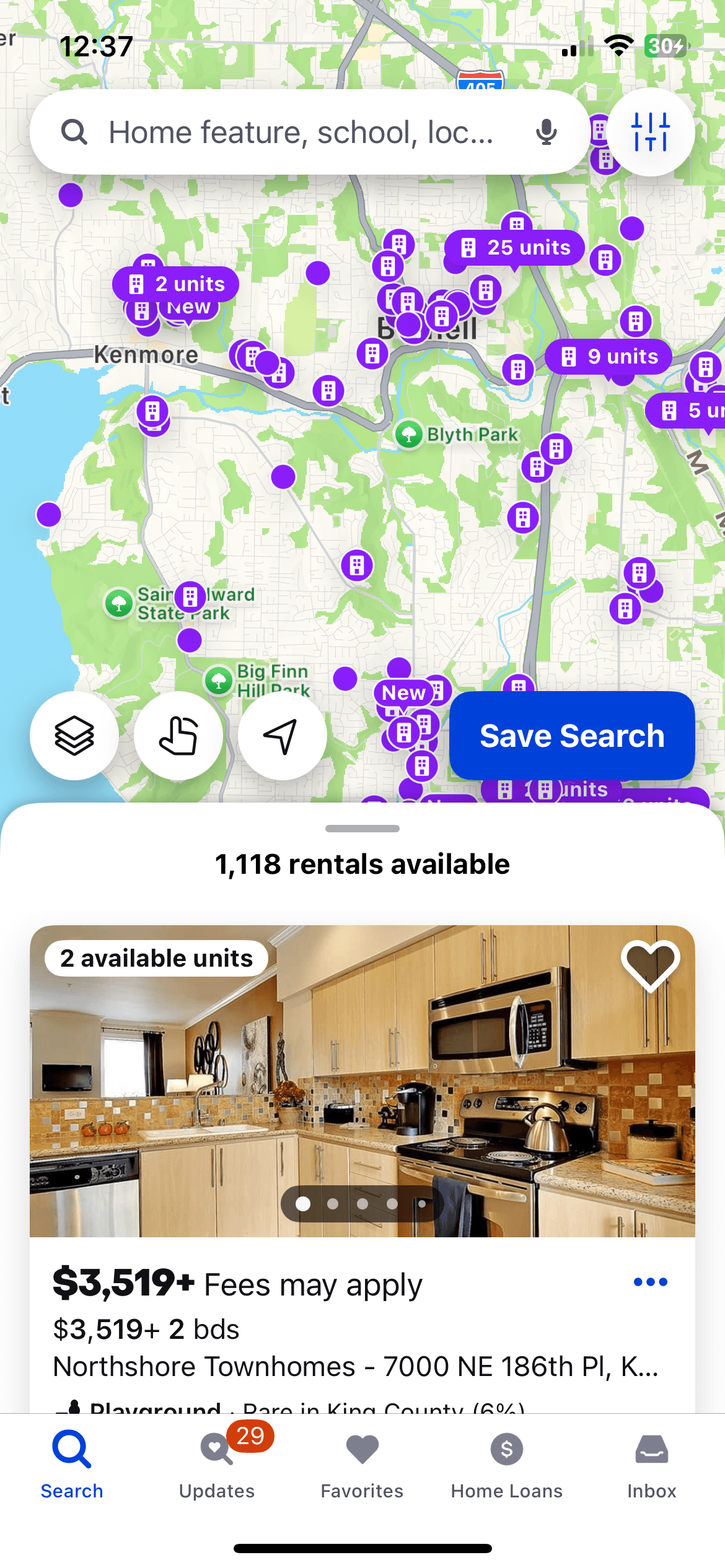
Zillow & Google Maps:
I’m looking at the integrated Map/List toggle. These apps are the gold standard for spatial orientation. For GalleryPal, this helps define how a user sees "Museums near me" on a map to understand walking distance, while having the ability to quickly switch to a list
Zillow & Google Maps:
I’m looking at the integrated Map/List toggle. These apps are the gold standard for spatial orientation. For GalleryPal, this helps define how a user sees "Museums near me" on a map to understand walking distance, while having the ability to quickly switch to a list
Zillow
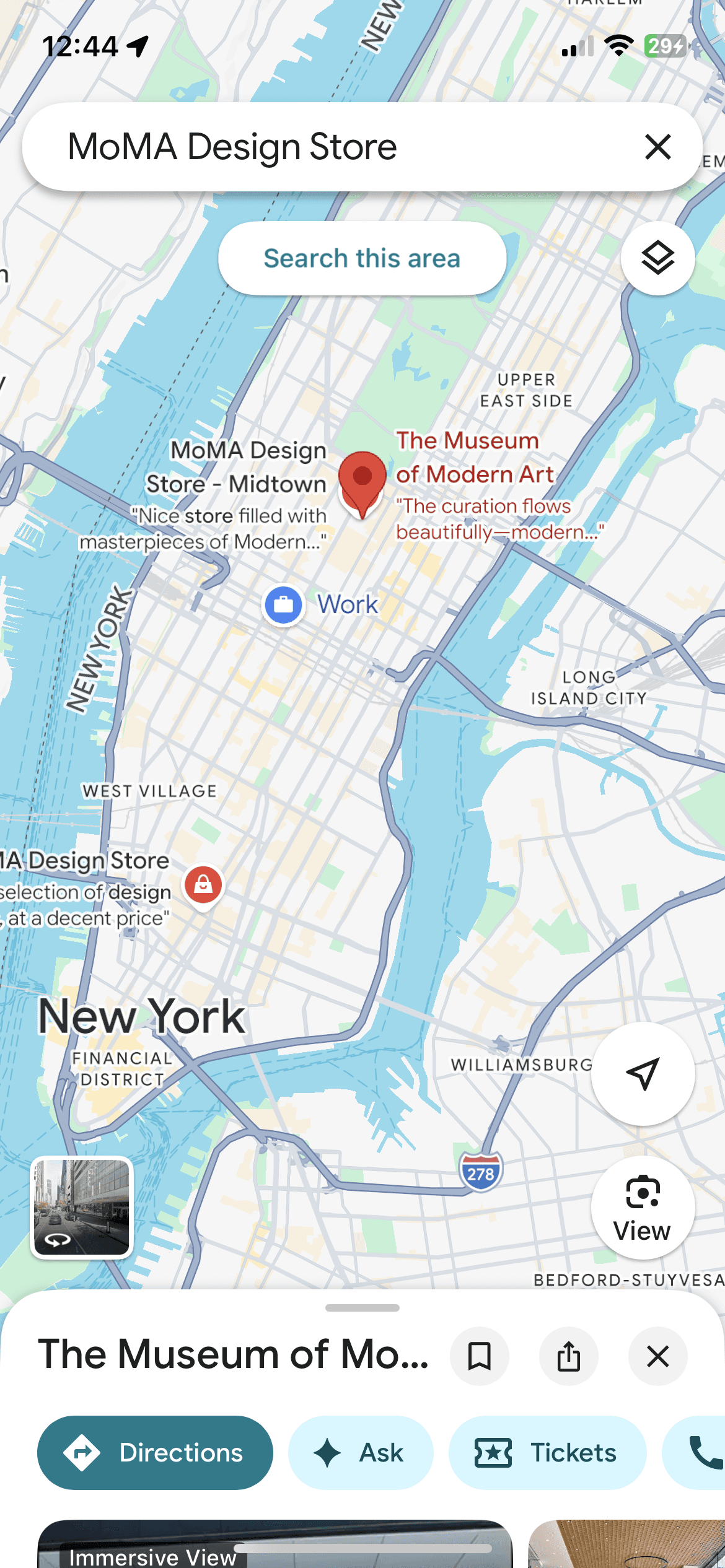
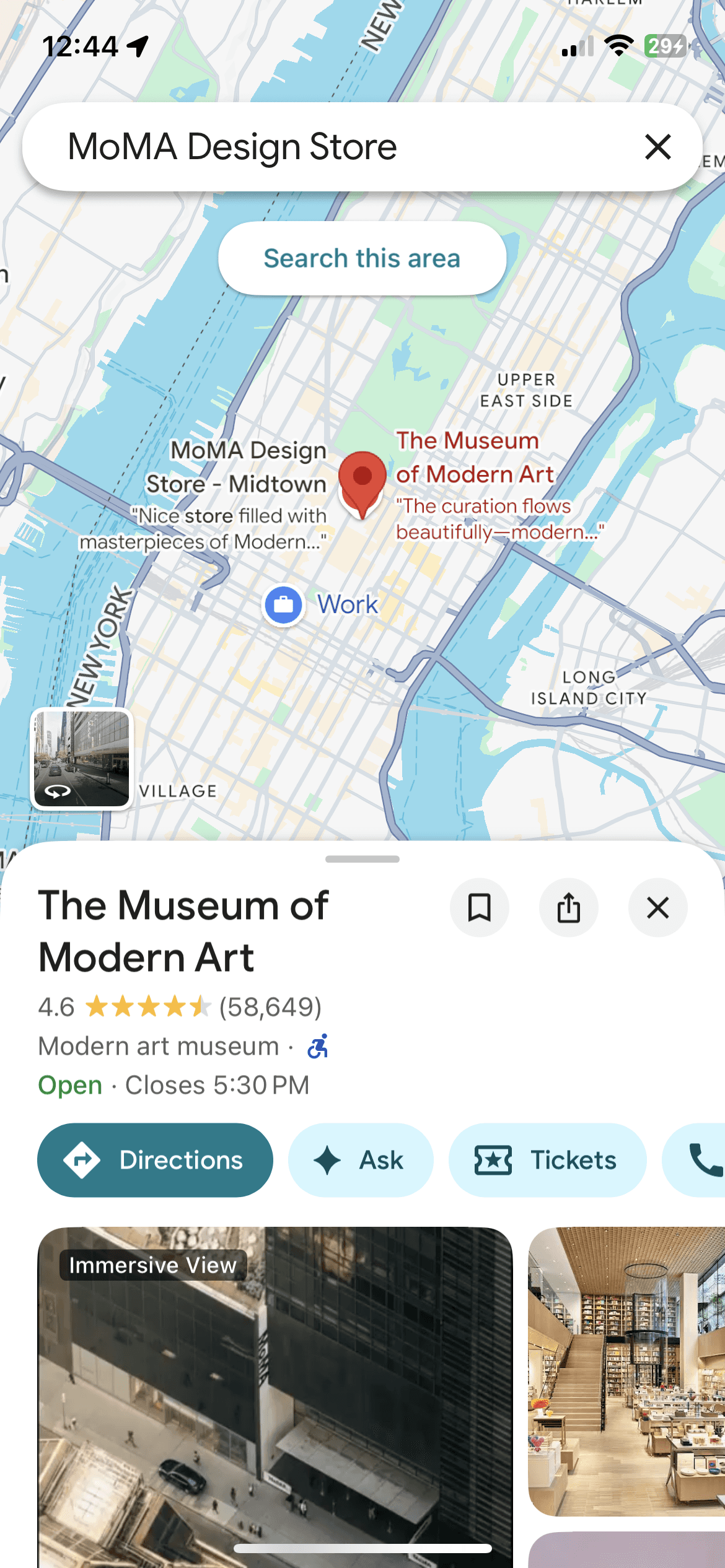
Google Maps
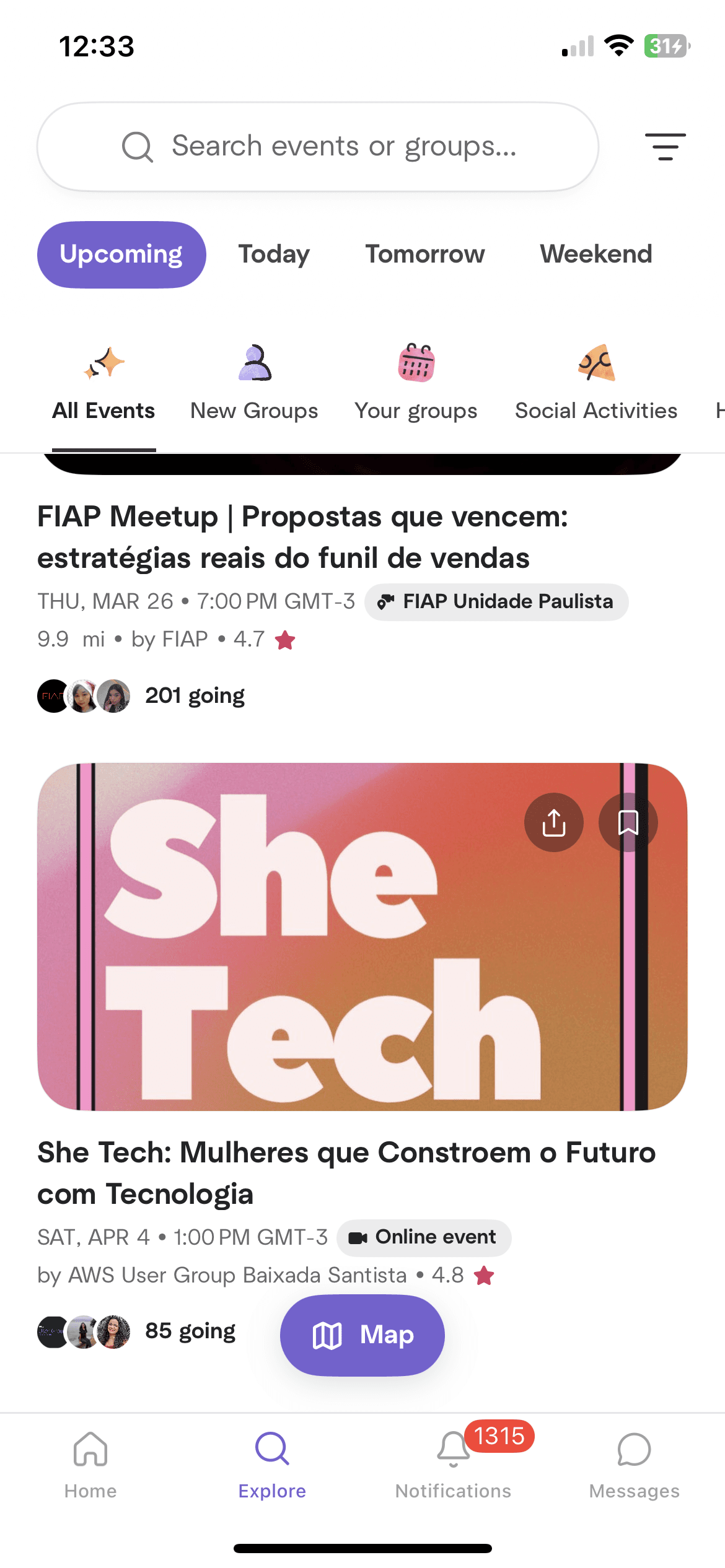
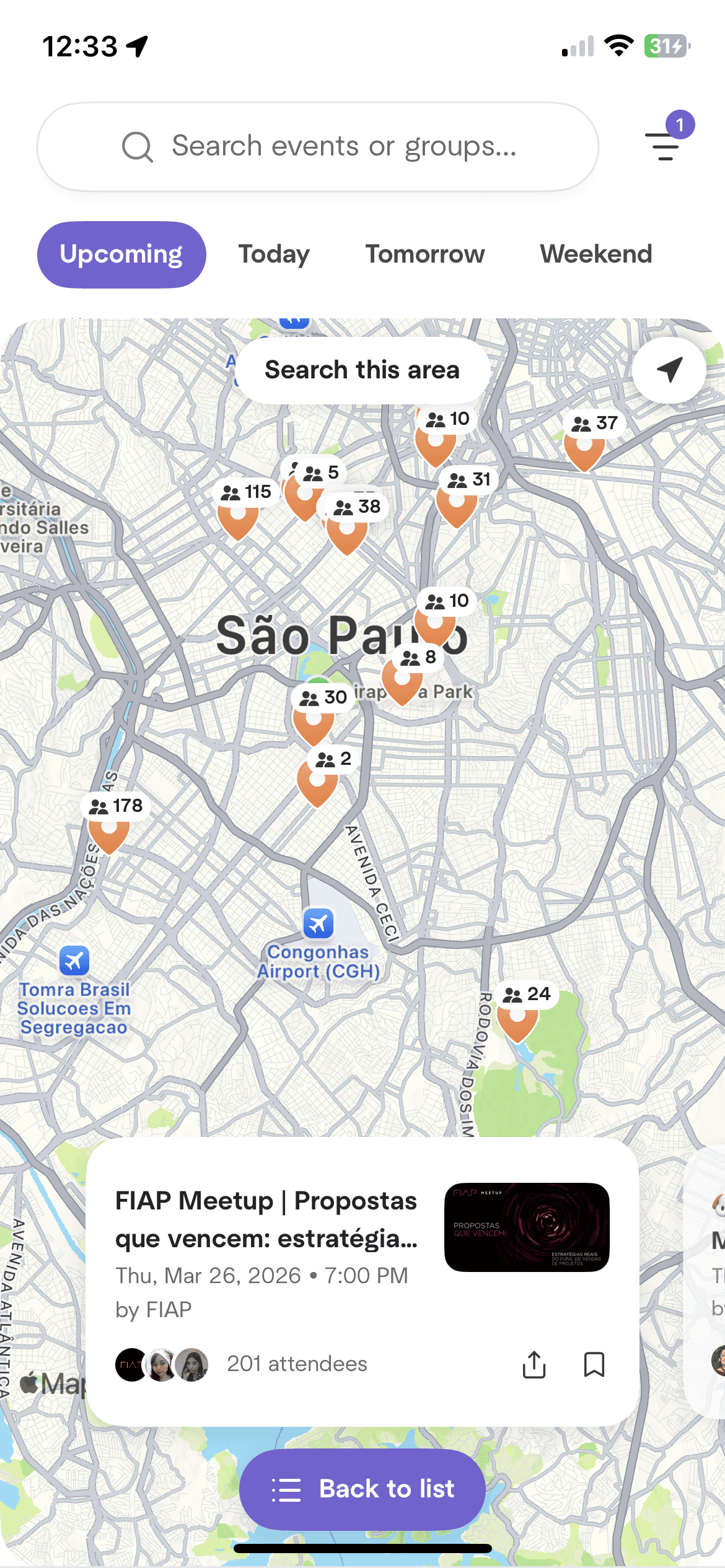
Meetup:
Meetup excels at List View hierarchy for events. I’m analyzing how they present "Cards" that show the most vital information first. This informs how GalleryPal can display museum information.
Meetup:
Meetup excels at List View hierarchy for events. I’m analyzing how they present "Cards" that show the most vital information first. This informs how GalleryPal can display museum information.
Sketching
Sketching
With a clear understanding of the interaction trade-offs and "best-in-class" patterns, I moved into the sketching phase to rapidly visualize the core of the app.
With a clear understanding of the interaction trade-offs and "best-in-class" patterns, I moved into the sketching phase to rapidly visualize the core of the app.
Crazy 8s: Selecting the Critical Screen
Crazy 8s: Selecting the Critical Screen
I used the Crazy 8s exercise to push past my first ideas and explore eight different ways to layout the most complex part of the app.
I identified the Audio Player as the critical screen for this project. Because it serves as the primary touchpoint during a museum visit, it needs to host a significant amount of information and functionality without overwhelming the user.
I used the Crazy 8s exercise to push past my first ideas and explore eight different ways to layout the most complex part of the app.
I identified the Audio Player as the critical screen for this project. Because it serves as the primary touchpoint during a museum visit, it needs to host a significant amount of information and functionality without overwhelming the user.
My goal for this screen was to ensure users could effortlessly find:
Playback Essentials: Large play/pause buttons, audio speed controls, and 10-second skip/rewind for quick reviews of historical facts.
Artwork Context: Clear hierarchy for the artwork title, artist, medium, date, and physical location (Gallery # and Artwork #).
Secondary Actions: Integrated "Read Mode," "Find on Map," and a dedicated "Start from the Beginning" button for those who enter a loop mid-track.
My goal for this screen was to ensure users could effortlessly find:
Playback Essentials: Large play/pause buttons, audio speed controls, and 10-second skip/rewind for quick reviews of historical facts.
Artwork Context: Clear hierarchy for the artwork title, artist, medium, date, and physical location (Gallery # and Artwork #).
Secondary Actions: Integrated "Read Mode," "Find on Map," and a dedicated "Start from the Beginning" button for those who enter a loop mid-track.

The Solution Sketch
The Solution Sketch
I then expanded my top concept into a three-panel solution sketch. This allowed me to explore and verify the logic of the screens immediately surrounding the player.
I then expanded my top concept into a three-panel solution sketch. This allowed me to explore and verify the logic of the screens immediately surrounding the player.
The Entry (Before): I sketched the Artwork Scanning screen, the moment the user transitions from physical curiosity to digital engagement via camera.
The Critical Screen (Critical Screen): The refined Audio Player. Here, I added the "Start from the Beginning" button to give users total control over their learning experience.
The Alternative Mode (After): I sketched the Reading Mode screen. This acts as a seamless extension for users who prefer to read the transcript or see a deeper dive into the artwork.
The Entry (Before): I sketched the Artwork Scanning screen, the moment the user transitions from physical curiosity to digital engagement via camera.
The Critical Screen (Critical Screen): The refined Audio Player. Here, I added the "Start from the Beginning" button to give users total control over their learning experience.
The Alternative Mode (After): I sketched the Reading Mode screen. This acts as a seamless extension for users who prefer to read the transcript or see a deeper dive into the artwork.

DAY 3
Decide & Storyboard
Decide & Storyboard
After refining the critical screens, I transitioned from a single screen to a cohesive system using a General Map hierarchy: City -> Museum -> Collection ->Artwork. This "General Map" approach ensures the navigation can scale from a broad country-wide search down to a specific interaction with a single painting.
Beyond the immediate sprint goals, this architecture provides a foundation for high-value user features. By treating each museum as a distinct entity, I’ve built in the flexibility to later integrate indoor wayfinding and GPS-tracked gallery routes. This would allow users to easily orient themselves in large complexes, get turn-by-turn directions to essential amenities like restrooms or cafes, and even keep a digital record of which galleries they’ve already visited. By planning for these utilities now, I’ve ensured that future layers of convenience can be added without disrupting the core, "eyes-up" discovery experience.
After refining the critical screens, I transitioned from a single screen to a cohesive system using a General Map hierarchy: City -> Museum -> Collection ->Artwork. This "General Map" approach ensures the navigation can scale from a broad country-wide search down to a specific interaction with a single painting.
Beyond the immediate sprint goals, this architecture provides a foundation for high-value user features. By treating each museum as a distinct entity, I’ve built in the flexibility to later integrate indoor wayfinding and GPS-tracked gallery routes. This would allow users to easily orient themselves in large complexes, get turn-by-turn directions to essential amenities like restrooms or cafes, and even keep a digital record of which galleries they’ve already visited. By planning for these utilities now, I’ve ensured that future layers of convenience can be added without disrupting the core, "eyes-up" discovery experience.

Why Camera Identification & NFC?
Why Camera Identification & NFC?
I decided to prioritize these two interaction methods to solve the "Spontaneous Discovery" challenge:
Camera Scanning: Offers the most freedom, allowing users to access audio from anywhere around the artwork.
NFC Tags: Provides a "fail-safe" for galleries with low lighting where cameras might struggle. It also offers a sense of "tech-magic" and is significantly faster and more modern than manual number entry or QR codes.
I decided to prioritize these two interaction methods to solve the "Spontaneous Discovery" challenge:
Camera Scanning: Offers the most freedom, allowing users to access audio from anywhere around the artwork.
NFC Tags: Provides a "fail-safe" for galleries with low lighting where cameras might struggle. It also offers a sense of "tech-magic" and is significantly faster and more modern than manual number entry or QR codes.
Storyboard
Storyboard
The 7-Step Journey:
Onboarding: A simple entry point to launch the experience.
Museum Search (List Mode): A scannable list to find museums by name or proximity.
Museum Search (Map Mode): A spatial view to help users orient themselves within the city.
Scan Artwork (Camera): Once a museum is selected, the camera opens to identify the art.
Scan Artwork (NFC Tap): An alternative "tap" option for low-light environments or a faster physical interaction.
The Critical Screen (Audio Player): The core experience where the user consumes the artwork’s story.
Read Mode: A dedicated transcript screen for users who prefer to read or follow along with the audio.
The 7-Step Journey:
Onboarding: A simple entry point to launch the experience.
Museum Search (List Mode): A scannable list to find museums by name or proximity.
Museum Search (Map Mode): A spatial view to help users orient themselves within the city.
Scan Artwork (Camera): Once a museum is selected, the camera opens to identify the art.
Scan Artwork (NFC Tap): An alternative "tap" option for low-light environments or a faster physical interaction.
The Critical Screen (Audio Player): The core experience where the user consumes the artwork’s story.
Read Mode: A dedicated transcript screen for users who prefer to read or follow along with the audio.

DAY 4
Prototype
Prototype
Key Interactions & Features
Key Interactions & Features
Dual-Entry Search: Users can browse museums via a scannable list or an interactive map, providing both detail and spatial context.
Hybrid Identification: To ensure reliability, I prototyped both Camera Scanning and NFC Tag Taps, giving users a consistent way to unlock content regardless of gallery lighting.
The Smart Player: The core of the experience features synchronized playback with a 10-second skip/rewind, audio speed controls, and a "Start from the Beginning" toggle to ensure users never miss a detail.
Dynamic Read Mode: A seamless transition between the audio player and a full-screen transcript, allowing for eyes-up viewing or deep-dive reading.
Dual-Entry Search: Users can browse museums via a scannable list or an interactive map, providing both detail and spatial context.
Hybrid Identification: To ensure reliability, I prototyped both Camera Scanning and NFC Tag Taps, giving users a consistent way to unlock content regardless of gallery lighting.
The Smart Player: The core of the experience features synchronized playback with a 10-second skip/rewind, audio speed controls, and a "Start from the Beginning" toggle to ensure users never miss a detail.
Dynamic Read Mode: A seamless transition between the audio player and a full-screen transcript, allowing for eyes-up viewing or deep-dive reading.
DAY 5
Validating the Experience
Validating the Experience
To validate the prototype and the "Spontaneous Discovery" flow, I conducted moderated usability testing with five museum-goers (ages 27–50). My goal was to observe how intuitively users could bridge the gap between the physical gallery and the digital guide.
To validate the prototype and the "Spontaneous Discovery" flow, I conducted moderated usability testing with five museum-goers (ages 27–50). My goal was to observe how intuitively users could bridge the gap between the physical gallery and the digital guide.
Key Results: 100% Task Success
Key Results: 100% Task Success
All five participants successfully completed the core journey:
Entry: Launching the app and finding a museum via Map/List views.
Identification: Accessing the audio via both Camera Identification and NFC Tapping.
Consumption: Navigating the Audio Player and switching to Read Mode.
The Loop: Successfully returning to the Scan screen for the next artwork.
All five participants successfully completed the core journey:
Entry: Launching the app and finding a museum via Map/List views.
Identification: Accessing the audio via both Camera Identification and NFC Tapping.
Consumption: Navigating the Audio Player and switching to Read Mode.
The Loop: Successfully returning to the Scan screen for the next artwork.
The Critical Insight:
Addressing Interaction Friction
The Critical Insight:
Addressing Interaction Friction
While the task completion rate was 100%, the testing revealed one consistent point of friction: the transition from scanning to the audio player. Participants expressed a moment of uncertainty while the camera was identifying the art. This highlighted a clear need for a Loading State or visual "Processing" indicator. Without this feedback, users weren't sure if the scan was working.
While the task completion rate was 100%, the testing revealed one consistent point of friction: the transition from scanning to the audio player. Participants expressed a moment of uncertainty while the camera was identifying the art. This highlighted a clear need for a Loading State or visual "Processing" indicator. Without this feedback, users weren't sure if the scan was working.
Solution for Iteration
Solution for Iteration
I identified that adding a haptic pulse or a scanning animation during the identification phase would provide the necessary system feedback, reassuring the user that the audio player is being prepared.
I identified that adding a haptic pulse or a scanning animation during the identification phase would provide the necessary system feedback, reassuring the user that the audio player is being prepared.
At a Glance